Mugula › Face swap app for iPhone
Face swap, live in your texts
free, on the iPhone camera, no account
Mugula's Face Swap puts a face from any photo onto yours on the live camera, keeps your eyes and mouth moving, and sends the result to the chat you're already in. It runs on your iPhone, inside Messages.
Free on iPhoneDownload on the App Store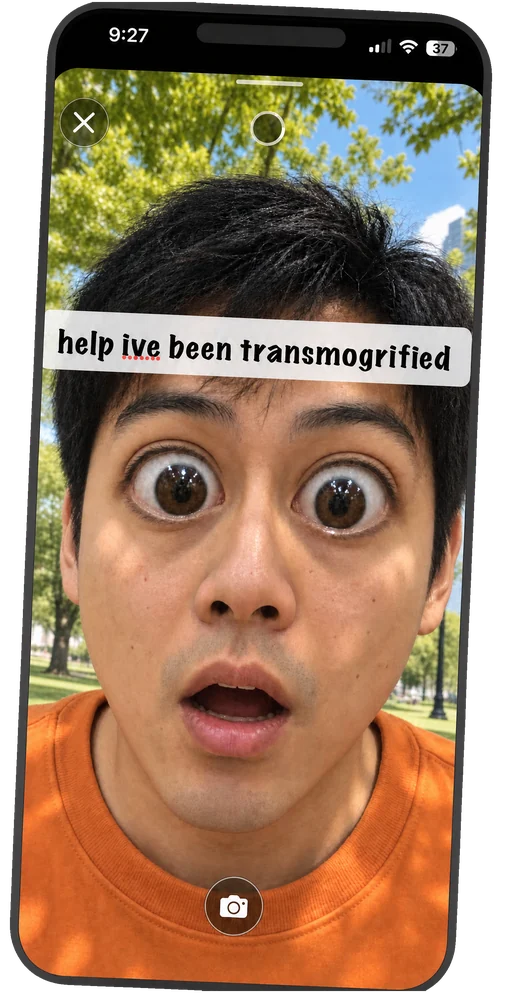
How to face swap in iMessage
- Install Mugula, then open a conversation and choose Mugula from the Apps button beside the text field.
- In the looks along the bottom of the camera, pick Face Swap and choose a photo with a clear, front-facing face.
- Look at the camera. The face follows yours as you move, and your own eyes and mouth stay live.
- Take the photo or hold the shutter for video, add a caption if you like, set a timer and send.
Why do it in Messages?
Most face swap apps make you export a file and then share it somewhere else. Here the swap happens in the chat. You can make the photo view-once or have it expire, so the funniest picture of the night doesn't sit in the group thread forever.
Questions
Is there a free face swap app for iPhone?
Mugula is free and includes Face Swap. It runs inside iMessage: pick a photo of a face, wear it on the live camera, and send the result straight to the chat.
Does the face swap work live?
Yes. The face from your photo follows your face on the camera in real time, with your own eyes and mouth showing through so blinks and talking still look natural. You can take a photo or record video.
Are my photos uploaded to swap faces?
No. Face tracking and the swap run on your iPhone. Nothing is sent to a server to make the swap.
Can I use anyone's face?
Only swap with people who are in on the joke. Don't use it to pass off a photo as real or to embarrass someone.
Keep reading
Your group chat just got a camera
free, no account, works in the chats you already have
Free on iPhoneDownload on the App Store